
Playing games on an Android device does not always require downloading an application. Many people enjoy mobile gaming but prefer not to install additional apps because of limited storage, slow internet connections, device performance, or privacy concerns. Fortunately, modern technology makes it possible to enjoy different types of games directly through a web browser. Whether someone uses a smartphone, tablet, or Chromebook, there are several convenient ways to access games without installing traditional applications.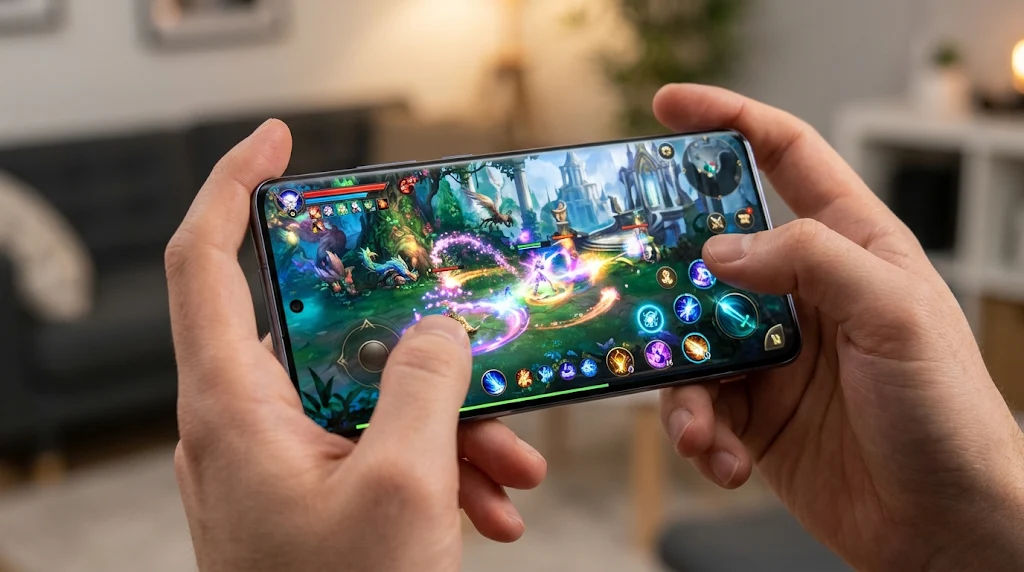
Browser-based gaming has become increasingly popular because it offers flexibility and convenience. Players can open a compatible website, select a game, and start playing within seconds. Services offering instant games, progressive web applications, and cloud-based experiences have expanded the available choices. However, understanding how these options work is important before choosing a platform.
This comprehensive guide explains how Android users can enjoy games without installing an app, what types of games are available, how browser gaming works, and which features matter when selecting a suitable gaming experience.
How Android Gaming Works Without an App
Traditional Android games usually require installation through an application store. These applications download files onto a device and use its operating system to provide the gaming experience.
However, not every game needs to work this way. Some games are designed to operate through web technologies. Instead of downloading a complete application, users access the game through OPEN88 an internet browser.
Modern browsers support technologies such as HTML5, JavaScript, and WebGL. These technologies allow developers to create interactive experiences that work on compatible devices.
The result is a gaming experience that can feel similar to using an ordinary mobile application.
What Is Browser-Based Gaming?
Browser-based gaming means playing a game through an internet browser rather than installing a dedicated application.
Google Chrome, Firefox, and other compatible browsers can display interactive games. Users simply visit a suitable gaming website and choose an available title.
These games can include puzzles, quizzes, strategy challenges, educational activities, and casual arcade experiences.
Some games work entirely within the browser, while others communicate with online servers to save progress or support multiplayer features.
Why Do People Prefer Games Without Apps?
There are several reasons Android users choose browser gaming.
First, it saves device storage. Smartphones with limited internal memory can become crowded when multiple applications are installed.
Second, browser games are convenient. Players do not need to wait for lengthy downloads or complete installation procedures.
Third, trying different games becomes easier. Users can explore various experiences without filling their devices with applications they might never use again.
Finally, browser gaming can be useful for people who prefer keeping their installed applications organized.
Types of Android Games You Can Play Without Installing an App
Not every browser game offers the same experience. Different categories provide different levels of interaction, performance, and complexity.
Understanding these categories helps users select games that match their interests and device capabilities.
Puzzle Games
Puzzle games are among the most suitable options for browser-based entertainment.
They usually require simple controls and do not depend on advanced graphics. Players can solve number puzzles, arrange objects, recognize patterns, or complete logical challenges.
Many puzzle games load quickly and work well on ordinary Android smartphones.
Examples include:
-
Sudoku-style number puzzles.
-
Word-search challenges.
-
Matching games.
-
Sliding puzzles.
-
Pattern-recognition activities.
-
Logic-based brain teasers.
These games can provide an enjoyable mental challenge without requiring powerful hardware.
Word and Trivia Games
Word games and trivia challenges are another excellent category.
Players may answer general knowledge questions, identify words, solve vocabulary puzzles, or complete language exercises.
These games are especially convenient because most rely on text and simple visual elements.
They can also support educational goals by encouraging reading, memory, and problem-solving skills.
Casual Arcade Games
Casual arcade games are designed around straightforward gameplay.
Players might control a character, collect objects, avoid obstacles, or complete short levels.
Many HTML5 arcade games are optimized for mobile browsers. Their simple mechanics make them accessible to beginners.
However, performance can differ depending on the game's graphics and the smartphone's available resources.
Strategy Games
Some browser-based strategy games offer more complex experiences.
Players may need to manage resources, plan moves, organize virtual communities, or solve tactical challenges.
These games often require more concentration than casual arcade titles.
Certain strategy games also support multiplayer features, although they may require a stable internet connection and an account.
Educational Games
Educational games provide entertainment while supporting learning.
Students can explore mathematics, science, geography, language, and other subjects through interactive activities.
For example, a mathematics game might present questions that become gradually more challenging. A geography game could ask players to identify countries, capitals, or landmarks.
Browser-based educational games are particularly useful when a student wants to practice a subject without installing additional software.
How to Play Android Games Through Google Chrome
Google Chrome is one of the most commonly used browsers on Android devices.
It supports many modern web technologies and can run a wide range of browser-based games.
The process is relatively straightforward.
Step 1: Open Your Browser
Start by opening Google Chrome on your Android smartphone or tablet.
Make sure the browser is updated. Older versions may not support certain gaming features.
Step 2: Find a Suitable Browser Game
Search for a specific type of game, such as a word puzzle, online quiz, or HTML5 arcade game.
Choose a reputable website with clear information about its games, privacy practices, and operating requirements.
Avoid websites that display suspicious advertisements or request unnecessary personal information.
Step 3: Check Device Compatibility
Before starting, check whether the game supports Android browsers.
Some games are designed primarily for desktop computers and may not display properly on smaller screens.
Look for mobile-friendly controls and responsive layouts.
Step 4: Start Playing
Open the selected game and wait for its content to load.
Depending on the game's size and your internet connection, loading may take a few seconds or longer.
Once the game is ready, follow its instructions and begin playing.
Step 5: Close the Game When Finished
When you finish playing, close the browser tab.
This can help reduce background activity and free up device resources.
If the browser becomes slow, closing unnecessary tabs may also improve performance.
What Are Progressive Web Applications?
Progressive Web Applications, commonly known as PWAs, combine certain features of websites and traditional applications.
They are accessed through a browser but can provide an application-like experience.
Some PWAs support home-screen shortcuts, notifications, and offline functionality.
However, not every PWA needs to be installed. Users can access many of them directly through their browsers.
How PWAs Improve Gaming Convenience
PWAs can make browser gaming more convenient in several ways.
Their layouts can adjust to different screen sizes. This helps games remain usable on smartphones and tablets.
Some PWAs also cache selected resources, which may improve loading times when users revisit them.
Depending on their design, they can provide a smoother experience than ordinary websites.
However, PWA features vary. Users should not assume every browser game supports offline play or background functionality.
Can Android Games Work Without an Internet Connection?
Yes, some Android games can work without an active internet connection, but this depends on how the game is designed.
Most online browser games require an internet connection to load their content and communicate with servers.
However, certain games store their necessary files locally after the first visit.
Offline Browser Games
Some simple browser games continue working after their essential resources have been loaded.
These may include basic puzzles, number challenges, or other lightweight activities.
Whether a game remains available offline depends on its caching system and browser support.
Games That Require Internet Access
Multiplayer games usually need an active connection because they exchange information between players and online servers.
Games that save progress online may also require internet access.
Similarly, games that regularly download new content cannot provide their complete experience offline.
Users should check the requirements before relying on a game without internet access.
Benefits of Playing Android Games Without Installing Applications
Browser gaming offers several advantages for everyday users.
Saves Storage Space
One of the biggest benefits is reduced storage usage.
Traditional applications can occupy considerable space, especially when they contain graphics, sound files, and additional downloadable content.
Browser games generally do not require a permanent full application installation.
This makes them useful for smartphones with limited storage capacity.
Easy Access to Different Games
Browser gaming allows users to explore multiple categories without repeatedly installing applications.
Someone interested in puzzles today and trivia tomorrow can switch between compatible games easily.
This flexibility makes discovering new entertainment options more convenient.
No Traditional Installation Process
Many browser games can be opened directly from a website.
There is no need to download an installation package or complete a conventional setup process.
This can save time, especially when users only want to play for a few minutes.
Useful for Older Android Devices
Some older smartphones struggle with large applications and demanding graphics.
Lightweight browser games may provide a more manageable experience because they often use fewer device resources.
However, this is not guaranteed. Modern browser games can also require substantial processing power.
Convenient for Short Gaming Sessions
Browser games are often suitable for short breaks.
Players can complete a puzzle, answer several trivia questions, or enjoy a quick arcade challenge without committing to a lengthy gaming session.
Possible Disadvantages of Browser Gaming
Although playing games without an application offers convenience, there are some limitations.
Performance Differences
Browser games may not perform as smoothly as applications specifically optimized for Android.
Complex graphics, animations, and multiplayer features can increase browser resource usage.
Performance depends on the device, browser version, and game design.
Internet Dependency
Many browser games require an active internet connection.
Users with unreliable connections may experience slow loading, interruptions, or difficulties saving their progress.
Limited Features
Some browser games offer fewer features than their dedicated application versions.
For example, they might not support advanced graphics settings, offline modes, or certain device-specific functions.
Browser Compatibility
A game that works properly in Chrome might behave differently in another browser.
Developers sometimes optimize their games for particular browser technologies.
Keeping the browser updated can help reduce compatibility problems.
How to Choose Safe Browser Games
Choosing a reliable gaming website is important for protecting personal information and maintaining a positive online experience.
Not every website offering free games is trustworthy.
Users should consider several factors before opening an unfamiliar gaming platform.
Check Website Security
Look for a secure HTTPS connection in the browser address bar.
Although HTTPS does not guarantee that a website is trustworthy, it helps protect information transferred between the browser and the website.
Avoid entering personal details on suspicious websites.
Review Privacy Information
A reputable platform should explain how it collects and uses information.
Check whether the website requests account registration, location access, or unnecessary permissions.
A simple puzzle game should not need access to unrelated personal information.
Avoid Suspicious Downloads
Some websites display advertisements that imitate download buttons.
Clicking these advertisements may redirect users to unrelated pages or potentially unwanted software.
If the goal is to play without installing an application, there is usually no reason to download an unknown file.
Be Careful With Online Accounts
Some browser games offer account registration to save progress.
Only create accounts when necessary, and use strong, unique passwords.
Never share passwords, verification codes, or sensitive personal information with strangers.
Avoid Gambling-Related Websites
A website advertising betting or gambling should not be confused with an ordinary browser game.
Gambling involves financial risk and is not appropriate entertainment for underage users.
Choose non-gambling games such as educational activities, puzzles, strategy challenges, and casual arcade experiences instead.
Tips for Improving Browser Gaming Performance
A few simple adjustments can make browser gaming more comfortable.
Keep Your Browser Updated
Browser updates often improve security, compatibility, and performance.
Using an updated browser can help games load and function correctly.
Close Unnecessary Tabs
Multiple open tabs can consume memory and processing resources.
Close pages that are not being used before starting a demanding browser game.
Check Available Storage
Even browser games may temporarily store files and cached information.
Keeping some free storage available can help your smartphone operate more smoothly.
Use a Stable Internet Connection
For online games, a reliable Wi-Fi connection can reduce interruptions.
If a game loads slowly, check whether other applications are using significant internet bandwidth.
Adjust Game Settings
Some browser games offer graphics or animation settings.
Reducing unnecessary visual effects may improve performance on older devices.
Keep Your Device Updated
Android system updates can improve compatibility and security.
However, users should check their device manufacturer's support information before expecting an older smartphone to receive new updates.
Can You Play Android Games Without an App on a Tablet?
Yes. Many browser games also work on Android tablets.
Tablets provide larger screens, which can make certain activities more comfortable.
Puzzle games, educational activities, strategy challenges, and word games can be particularly suitable.
However, tablet compatibility still depends on the website's design.
Some games may stretch their layouts across larger displays, while others may retain a smaller mobile-style interface.
Users should select games that support responsive screen layouts.
Are Browser Games Suitable for Children and Students?
Many browser games can provide educational and recreational benefits when selected carefully.
Students can use educational games to practice mathematical concepts, improve vocabulary, and develop logical thinking.
Puzzle games can encourage concentration, while trivia games can introduce interesting facts about different subjects.
However, not every gaming website is suitable for children.
Parents and guardians should consider advertisements, chat features, account requirements, and privacy policies before allowing younger users to access a platform.
It is also helpful to establish reasonable screen-time boundaries so that gaming does not interfere with schoolwork, sleep, physical activity, or other responsibilities.
The Future of Android Gaming Without Apps
Browser technology continues to develop, creating new possibilities for mobile entertainment.
HTML5, WebGL, cloud computing, and improved mobile processors have made browser gaming more capable than it was in the past.
Cloud gaming is another developing area.
Instead of running the entire game locally, a cloud gaming service processes much of the experience on remote servers and streams the result to a compatible device.
This approach can make certain demanding games accessible through supported browsers.
However, cloud gaming generally requires a reliable internet connection and may involve subscription costs or account requirements.
Progressive Web Applications are also improving the relationship between websites and mobile applications.
As browser technology develops, users may gain access to more convenient gaming experiences without needing to install a separate application for every title.
Conclusion
Playing Android games without an app is a convenient option for people who want entertainment without downloading additional applications. Browser-based gaming has made it possible to access puzzles, trivia challenges, casual arcade experiences, educational activities, and strategy games directly through compatible mobile browsers.
Google Chrome and other modern browsers support technologies that allow developers to create interactive gaming experiences. This means users can explore different games without completing a traditional installation process.
There are several benefits to this approach, including saving storage space, accessing games quickly, and enjoying entertainment on older smartphones. Browser games can also be useful for short gaming sessions because many titles are simple to open and understand.
However, users should consider potential limitations such as internet requirements, browser compatibility, performance differences, and limited features. Selecting reputable websites and protecting personal information are equally important.
For the best experience, keep your browser updated, close unnecessary tabs, maintain a stable internet connection, and choose games designed for mobile screens.
Ultimately, installing an application is no longer the only way to enjoy Android gaming. Browser-based games provide a practical alternative for users who value convenience, flexibility, and simple access to digital entertainment.